Difference between revisions of "PrF UG slots finding a slot"
From Protege Wiki
(Automated import of articles) |
|||
| Line 4: | Line 4: | ||
{{PrF_UG_TOC_slots}}<div id='prf_ug'> | {{PrF_UG_TOC_slots}}<div id='prf_ug'> | ||
| − | To find a slot by name in the | + | To find a slot by name |
| − | [[PrF_UG_slots_slot_browser|Slot Browser]]: | + | in the [[PrF_UG_slots_slot_browser|Slot Browser]]: |
<ol class='a'> | <ol class='a'> | ||
<li><p> | <li><p> | ||
| − | Type all or part of the name of the slot in the Slot Lookup Bar at the bottom of the | + | Type all or part of the name of the slot in the Slot Lookup Bar at the bottom |
| − | + | of the [[PrF_UG_slots_slot_browser|Slot Browser]]. | |
| − | |||
| − | |||
</p> | </p> | ||
| + | <div>[[Image:PrF_UG_slots_search_slot.png|slots_search_slot]]</div> | ||
<li><p> | <li><p> | ||
Press <b>Enter/Return</b> <i>or</i> click the <b>Search for Slot</b> | Press <b>Enter/Return</b> <i>or</i> click the <b>Search for Slot</b> | ||
| − | [[Image:PrF_UG_slots_slot.search.gif|slots_slot.search]] | + | [[Image:PrF_UG_slots_slot.search.gif|slots_slot.search]] button. |
| − | + | If there is one match, the slot will be highlighted. | |
| − | If there is one match, | + | Otherwise, you will get a dialog box of all the matches, |
| − | |||
| − | Otherwise, | ||
| − | |||
and you will be able to select one. | and you will be able to select one. | ||
| − | |||
| − | |||
</p> | </p> | ||
| + | <div>[[Image:PrF_UG_slots_select_slot_search.png|slots_select_slot_search]]</div> | ||
</ol> | </ol> | ||
</div> | </div> | ||
Revision as of 15:53, October 16, 2008
Finding a Slot
To find a slot by name in the Slot Browser:
Type all or part of the name of the slot in the Slot Lookup Bar at the bottom of the Slot Browser.

Press Enter/Return or click the Search for Slot
 button.
If there is one match, the slot will be highlighted.
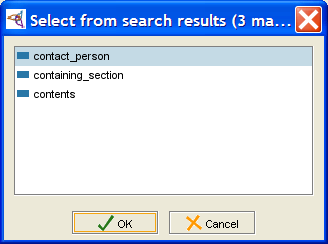
Otherwise, you will get a dialog box of all the matches,
and you will be able to select one.
button.
If there is one match, the slot will be highlighted.
Otherwise, you will get a dialog box of all the matches,
and you will be able to select one.