Difference between revisions of "PrF UG queries export results"
From Protege Wiki
| Line 35: | Line 35: | ||
</p> | </p> | ||
<pre> | <pre> | ||
| − | + | Cousteau Heads for Drydock Article | |
| − | + | Destination Mars Article | |
| − | + | SMI has big role in DARPA HPKB Project Article | |
</pre> | </pre> | ||
</ol> | </ol> | ||
Revision as of 13:31, October 25, 2008
Exporting Query Results
You can export the results of a query to a text file, protege_query_results.txt, which is saved in the same folder as your Protege .pprj project file. To export the results:
Click the Export Slot Values (
 ) button
at the top right
of the Query Results Pane.
) button
at the top right
of the Query Results Pane.
By default, the text file will list each instance and its class. A dialog box will prompt you to choose any additional slot values of the instance that you wish to export. Select those you want and click OK.
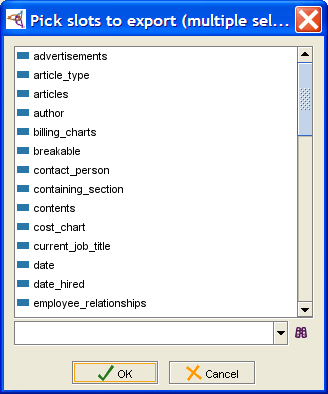 Pick slots to export dialog
The information will be exported to a text file, with slot values separated by tabs.
Cousteau Heads for Drydock               Article
Destination Mars                         Article
SMI has big role in DARPA HPKB Project   Article


Note:
If you wish to export the results for more than one query,
make sure to rename the text file so that it will not be overwritten.

