PrF UG meta default metaclass
From Protege Wiki
Setting the Default Metaclass
If you have multiple metaclasses in your project, Protege-Frames allows you to choose which metaclass you want to use as the default for every new class you create.
To set a metaclass as the default:
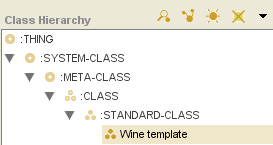
In the Class Browser, click on the metaclass you want to use. This must be a class that is subordinate to :CLASS.
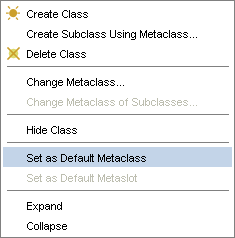
Click the right mouse button and select Set as default metaclass from the Class Menu. This option is available only when a metaclass is selected.
The selected metaclass will become the default. Now, unless you choose otherwise, every new class you create will use the new default metaclass as its template and inherit the properties defined by the default.


